
Places you visit,
logged automatically
Just keep your iPhone in your pocket. dot location records where you stay and where you go, so you can look back on them in the timeline or on a map.
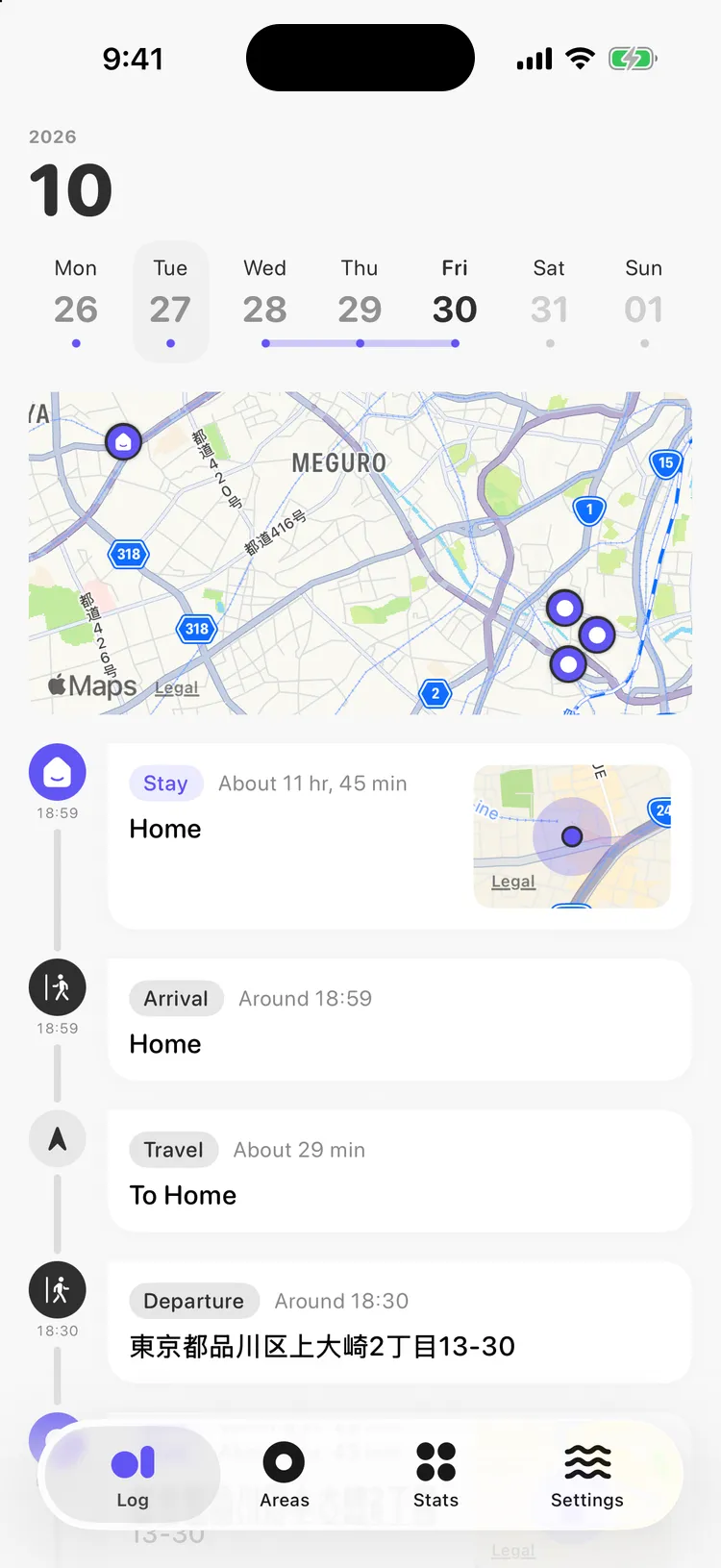
Your day, drawn on a map.
Stays, trips, arrivals and departures are recorded automatically, even with the app closed. See where you stayed each day on a map and look back on it in the timeline.
Automatic recording
Just carry your iPhone. There’s nothing to start or stop.
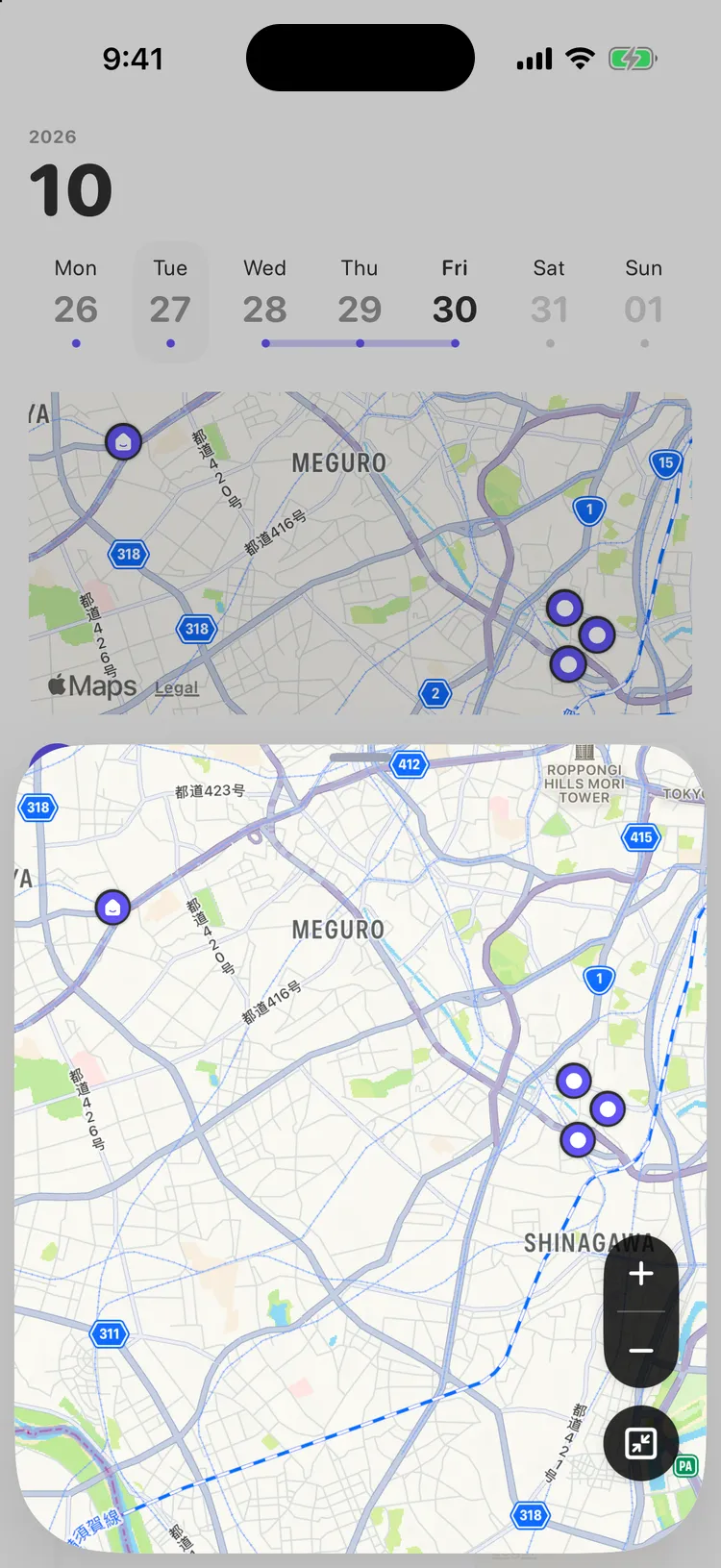
Day map
Pins the places you stayed that day on a map. Tap it to open a larger map.
Place suggestions
Suggests shops and places near where you stayed that you may have visited.
Calendar SyncPro feature
Adds your stays to iOS Calendar as events, Google Calendar included. Off by default.
CSV export
Export your logs, areas and routes together as CSV files.
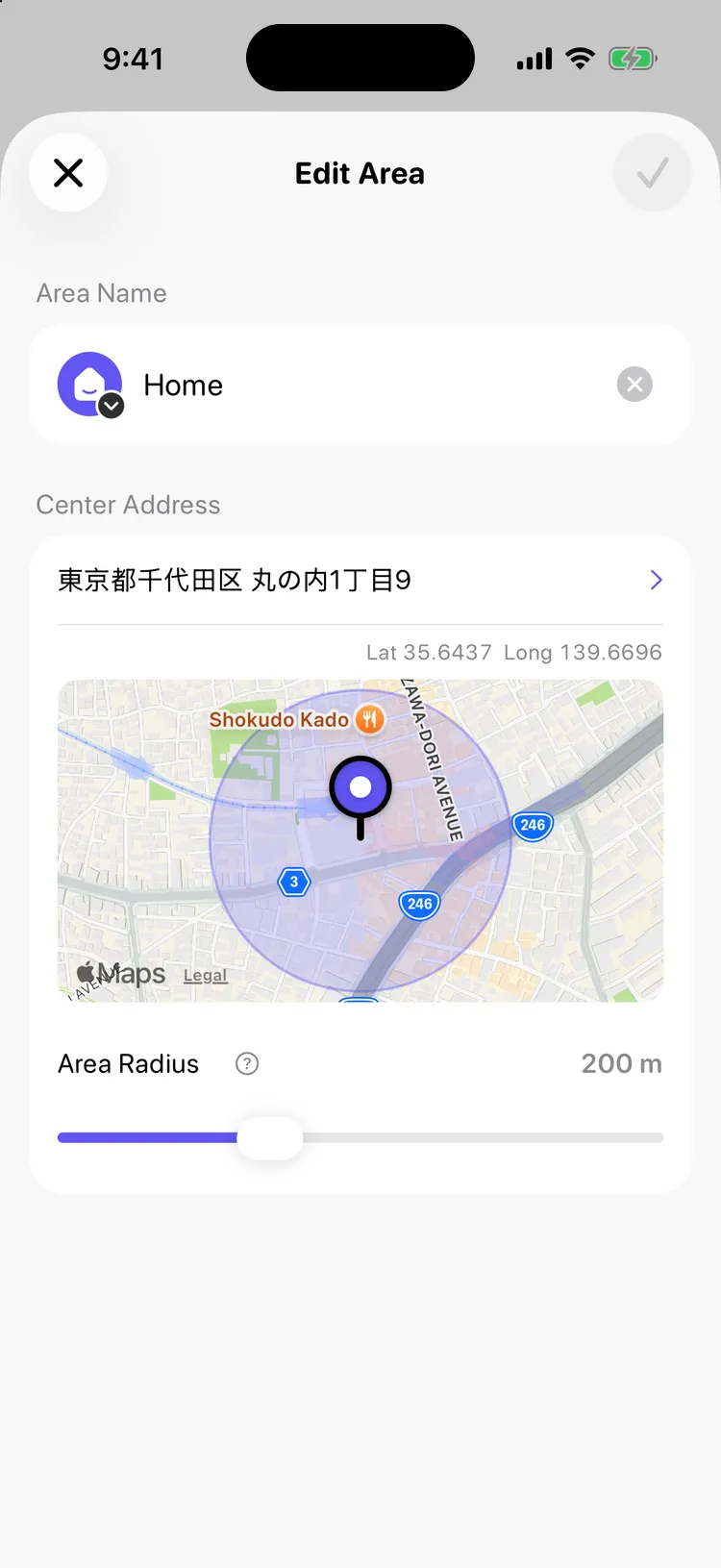
Name the places you go often.
Save places like home or work as areas, and your arrivals and departures show up by name instead of by address.
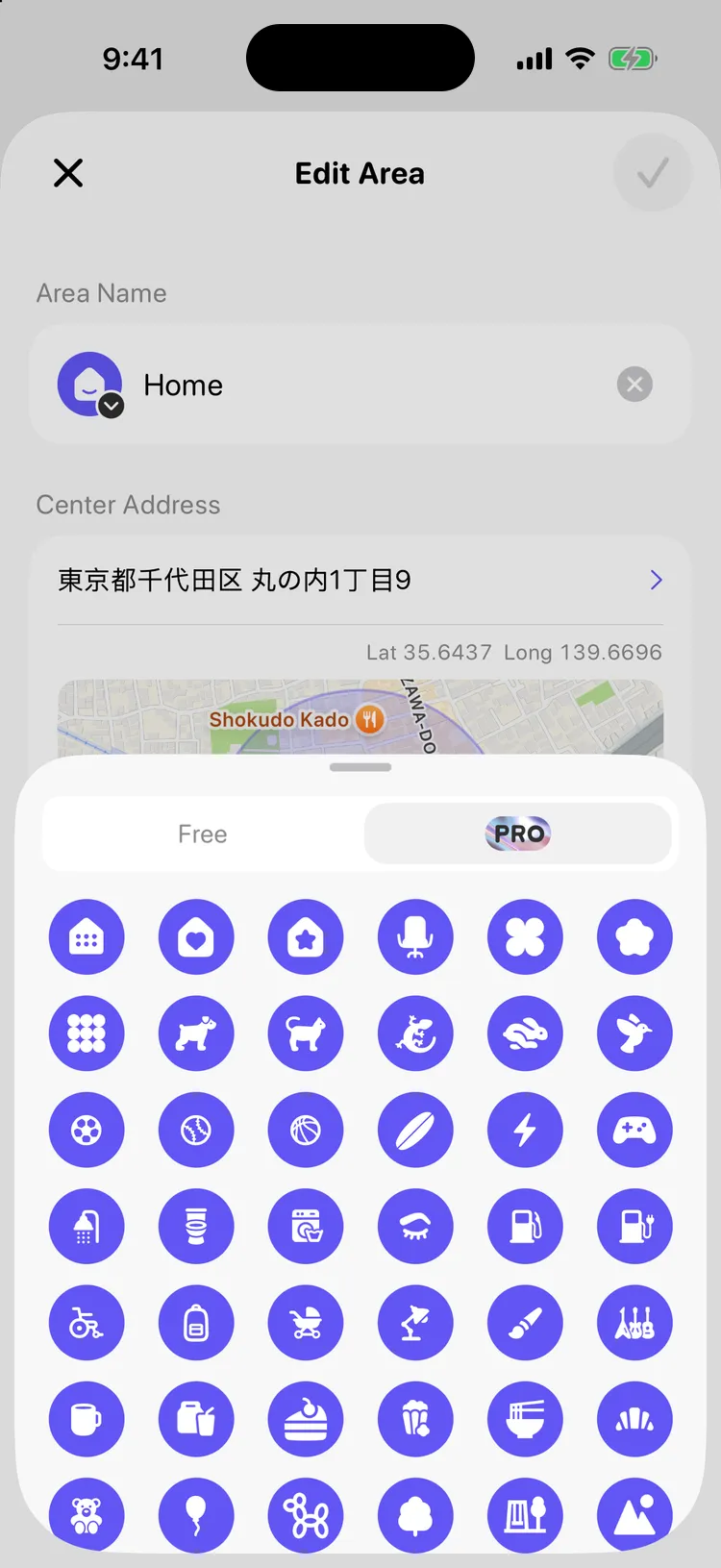
90 icons
30 free icons, plus 60 more with Pro, including gems and animals. They appear on arrivals, stays and departures in your timeline.
Adjustable radius
Place the pin on the map and make the area larger or smaller.
Renames reach the past
Change a name or icon, and your past logs update right away.
Home
Set one place as Home for your Home Stats. If you move, past logs keep the Home you had at the time.
See the rhythm of your days.
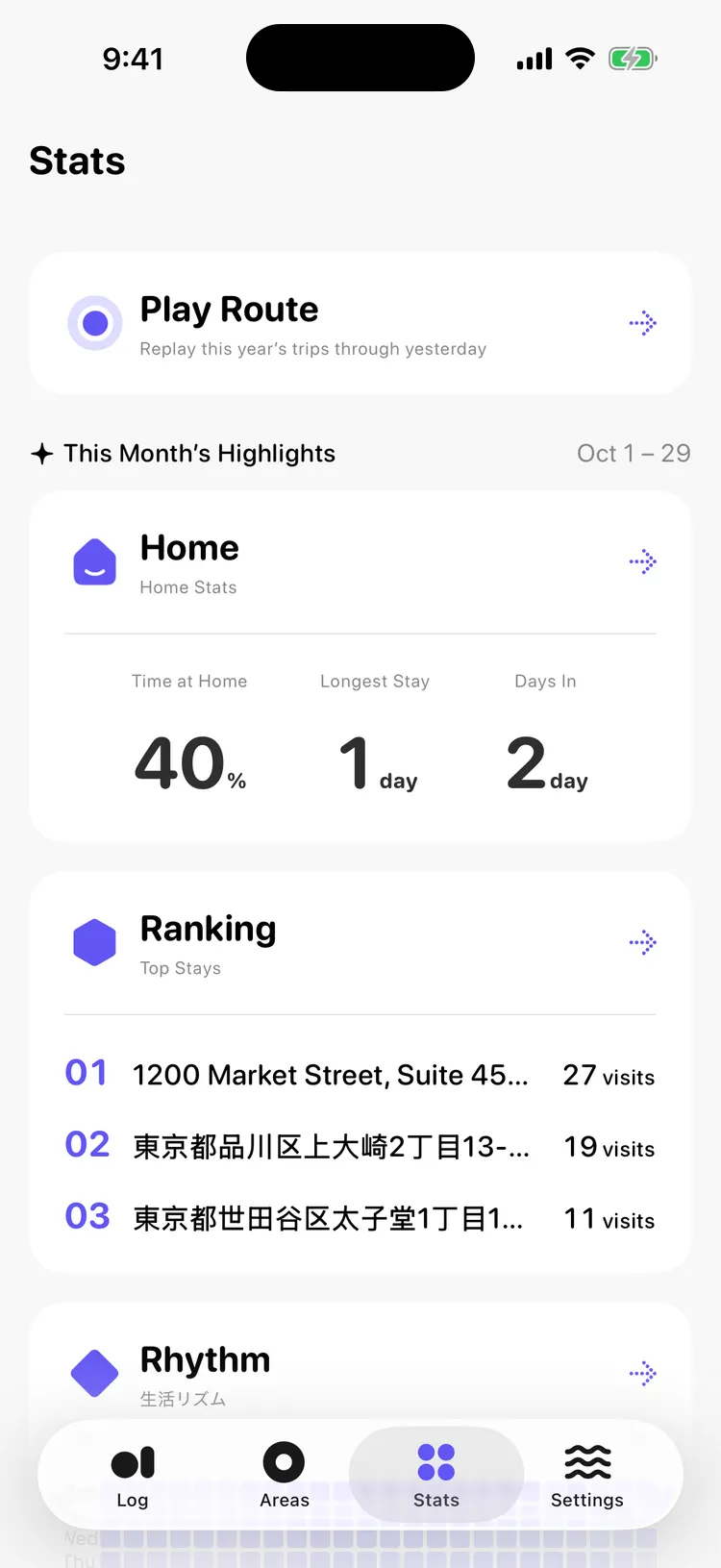
Your logs add up to how much time you spend at home, where you go most, and how you spend each day and hour. Stats opens with this month’s highlights.
Play Route
Replays your trips as an animation on the map. Free covers this month; Pro adds this year and past years.
Home Stats
Shows your time at home and how many days you stayed in.
Top Stays
Lists the places you stayed most, by number of visits.
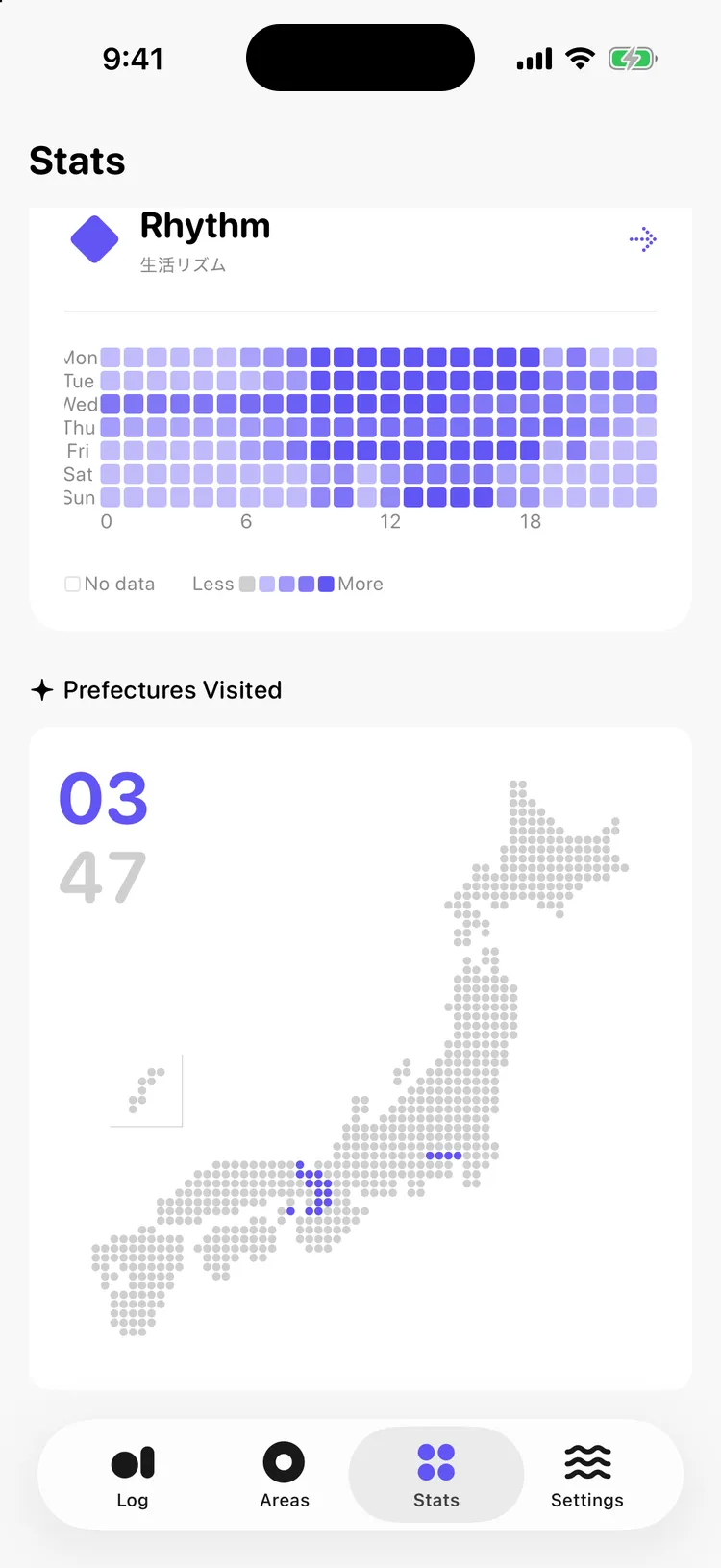
Daily Rhythm
A day-by-hour heat map shows when and where you tend to be.
Prefectures Visited
Each prefecture you visit fills in on a dotted map of Japan.
Any periodPro feature
Switch between week, month, 6 months and year, and look back before this month.
Make every day your color.
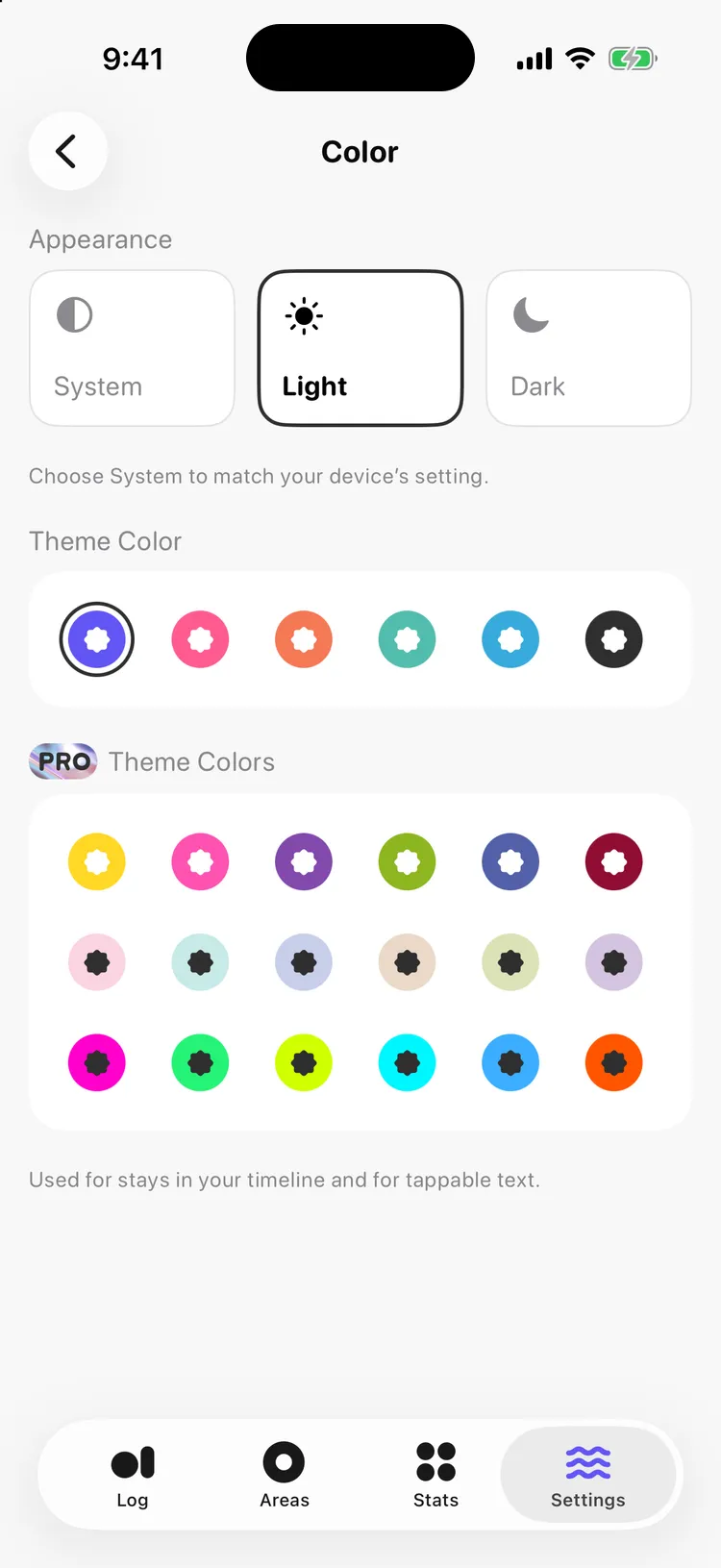
Pick from 24 theme colors: 6 free, plus 18 calm, baby and neon shades with Pro. Pins on the map and the timeline follow your color. Choose Light, Dark or System, and change the app icon too.
Purple
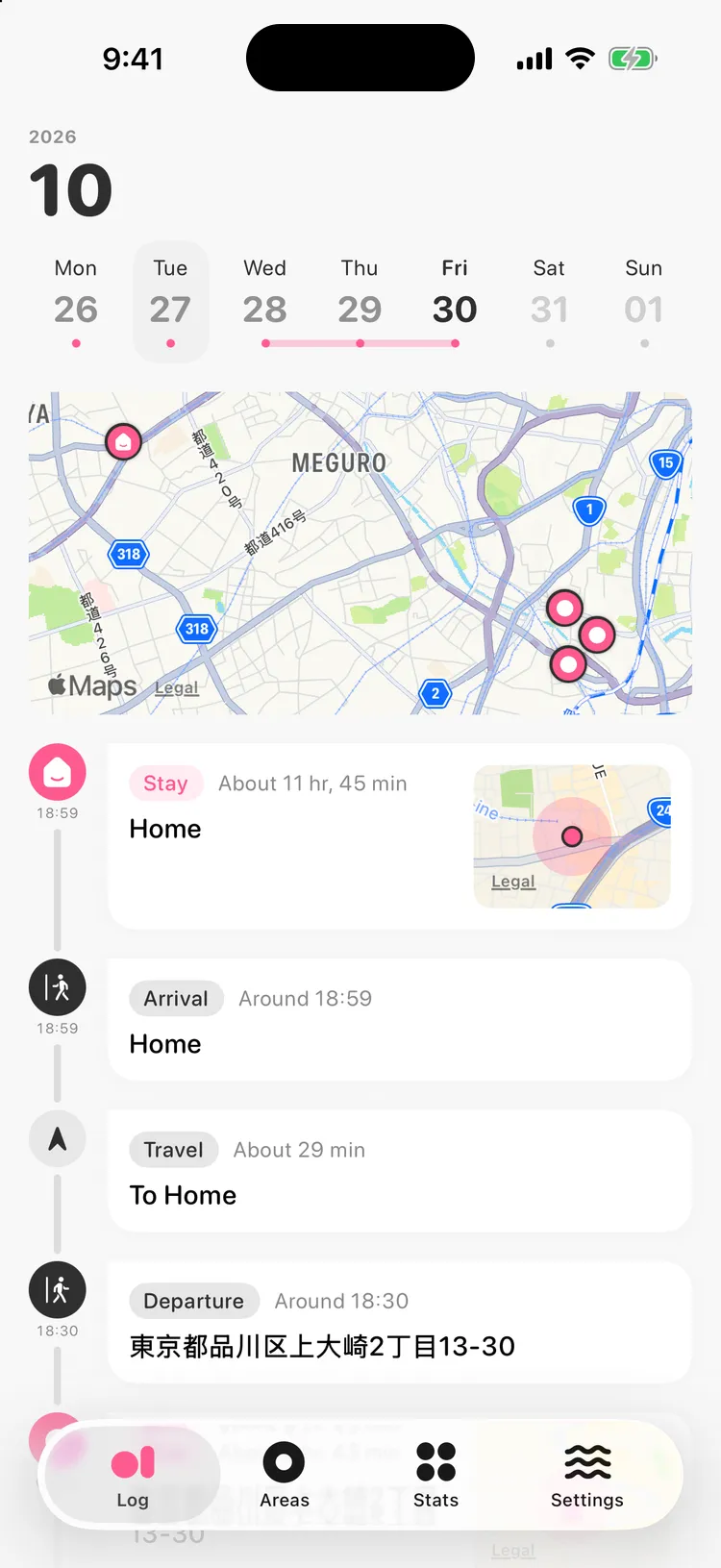
Pink
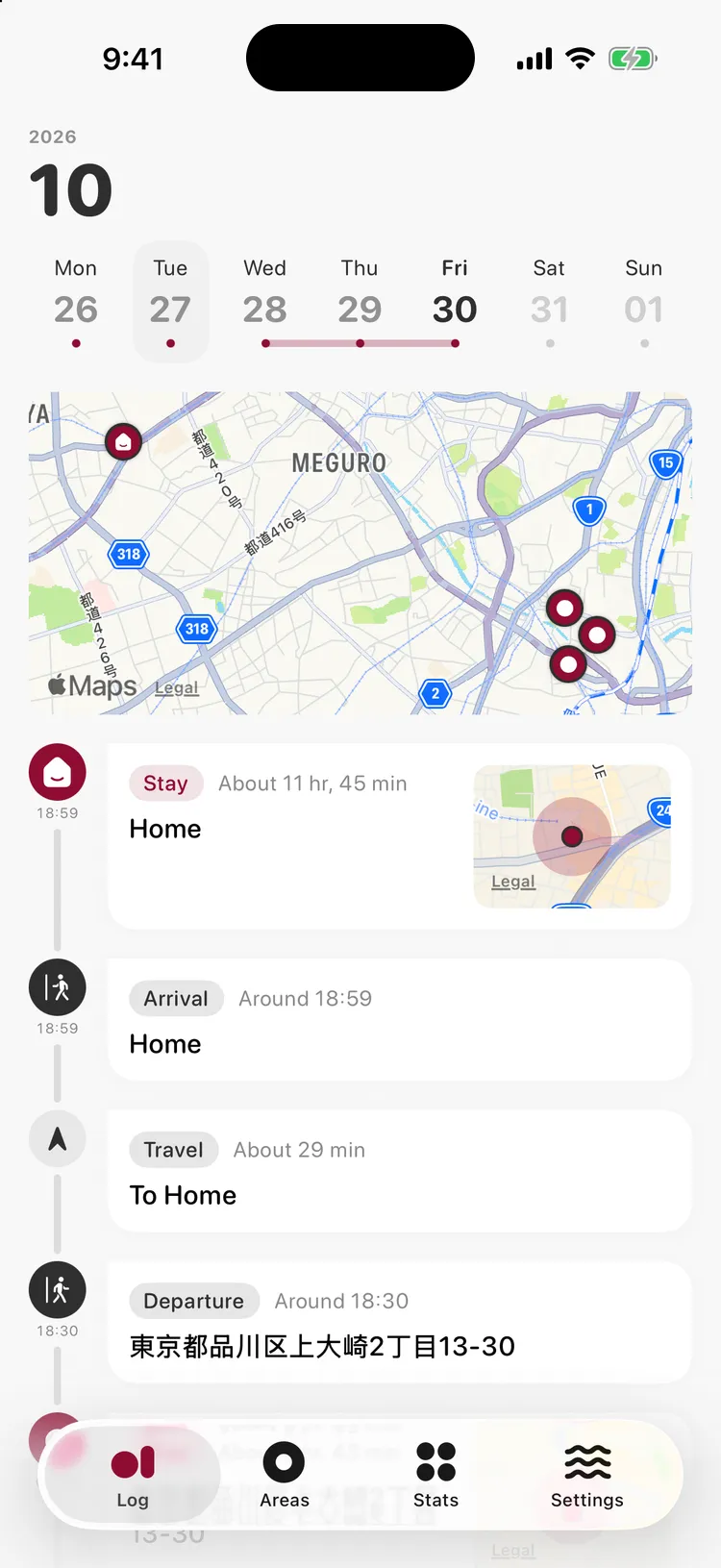
Calm WinePro feature
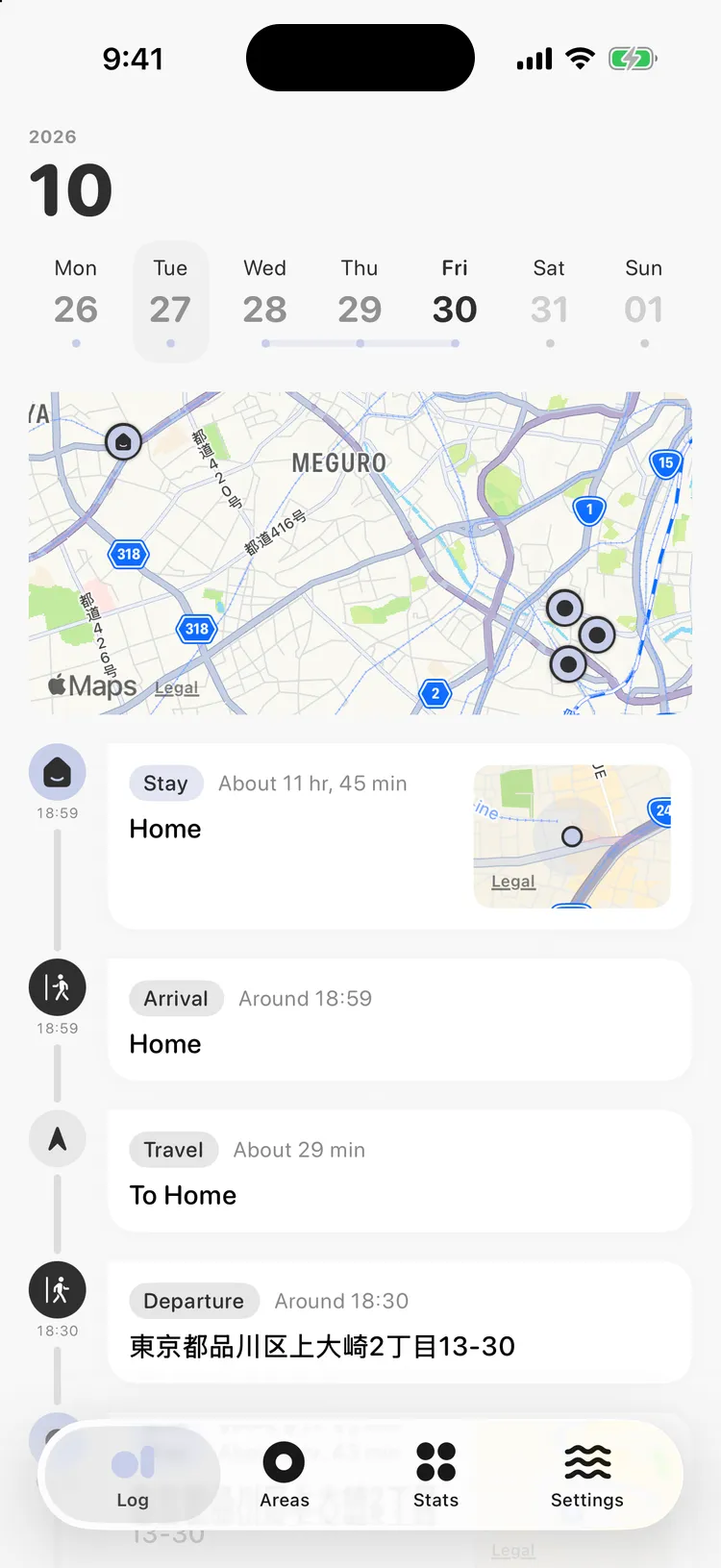
Baby BluePro feature
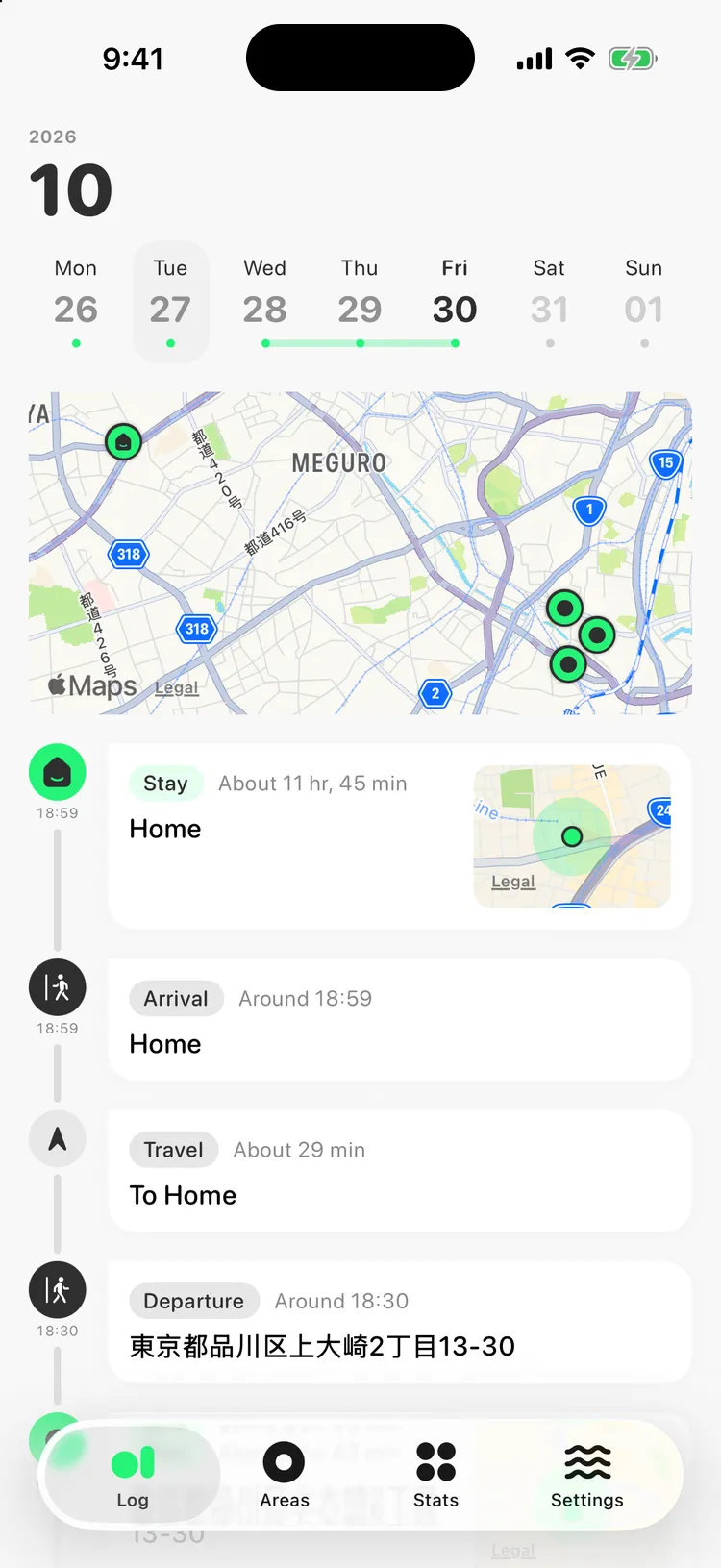
Neon GreenPro feature
For the price of a book, look back on your records forever.
Recording and this month’s look back are free. Buy Pro once and use it forever. No subscription, no ads.
Free
- Automatic recording of trips and stays
- Timeline and day map
- Areas, with 30 icons
- This month’s stats and Play Route
- Prefectures Visited, across all your records
- 6 theme colors and 8 app icons
- CSV export
Pro featurePro (One-Time Purchase)
- See stats for periods other than this month
- Replay this year and past years
- Calendar Sync
- Choose from all theme colors and app icons
- Choose from all area icons
Your location history stays on your iPhone.
The record of where you’ve been is saved on your device and never sent to our servers. No account needed.
To show addresses and find nearby places, coordinates are sent to Apple (MapKit) and OpenStreetMap. Crash reports and usage analytics are sent without location data. Calendar Sync writes places into events only when you turn it on. Pro is bought through Apple’s App Store.
Privacy Policy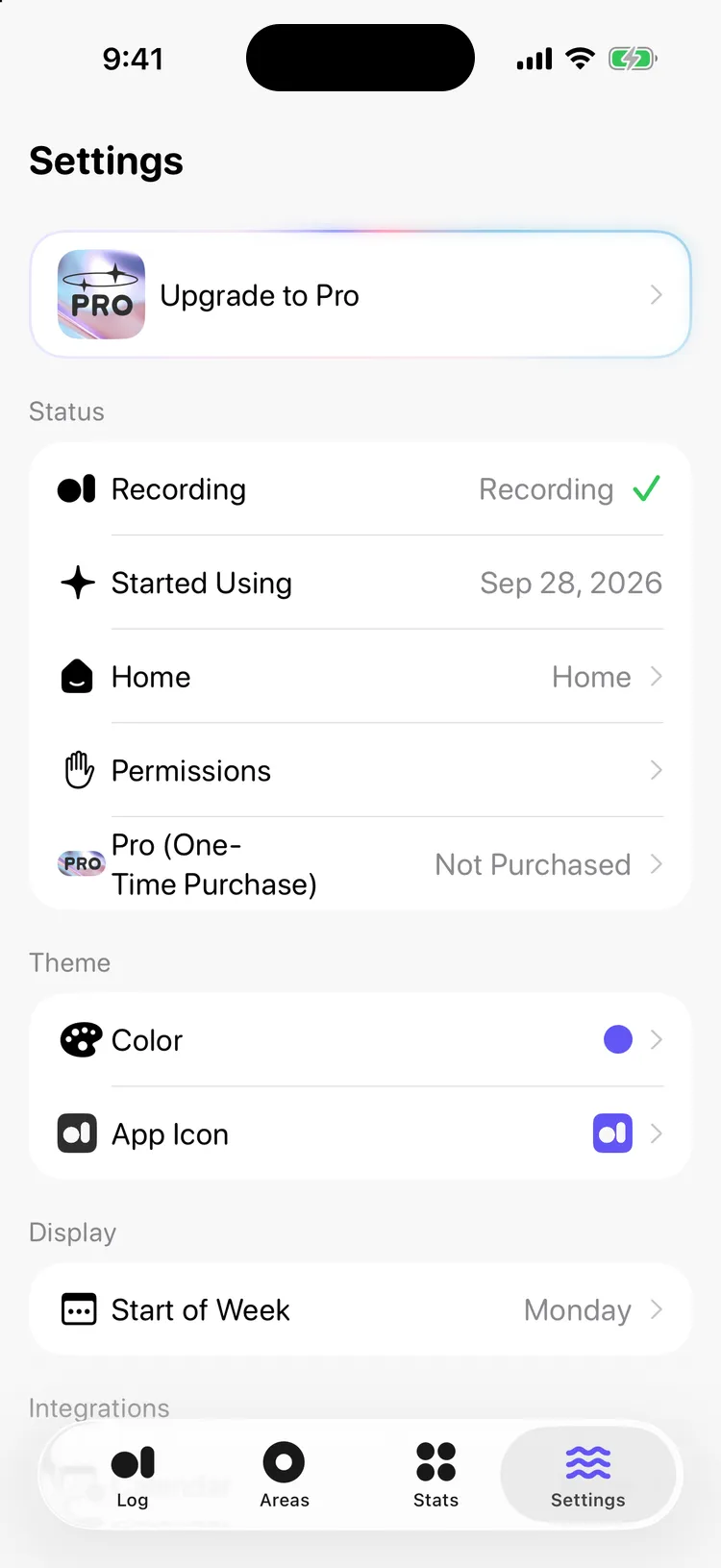

dot location
Coming soon to the App StoreiPhone · iOS 26.4 or later